Crawl budget —
so bots hit priority sections, not junk
I clean up crawling: logs show where Googlebot actually goes, which templates waste budget, and which responses are 4xx/5xx. Then robots.txt, URL parameters, facet traps, and Search Console checks — with a post‑change log reslice to prove the shift.
Why do important pages take forever to index?
1
Facet traps & combinatorial explosions
Filters, sorts, calendars, and session IDs inflate URL counts. The crawler spins on low‑value patterns while product and content URLs queue.
2
Priority URLs barely get crawled
Catalog launches and money pages wait: budget is spent on duplicates, parameters, and utility paths.
3
Robots, canonical, and noindex disagree
Conflicting directives and sitemaps that don’t match production waste crawl cycles resolving contradictions.
4
Decisions without logs
Search Console alone won’t show true response codes, repeat junk chains, or per‑template crawl share — you need server logs.
What’s included
I clean up crawling: logs show where Googlebot actually goes, which templates waste budget, and which responses are 4xx/5xx. Then robots.txt, URL parameters, facet traps, and Search Console checks — with a post‑change log reslice to prove the shift.
Server log analysis
Parse logs (Nginx, Apache, CDN), filter search bots, top crawled URLs, 4xx/5xx hotspots, budget sinks — cross‑checked with priority site sections.
- Agreed time window + post‑release reslices
- Breakdown by URL pattern and status code
- Prioritized task queue from findings
Robots.txt audit
Allow/Disallow review, conflicts with sitemaps and critical paths, junk-only blocks. Output: an unambiguous crawler config.
- Aligned with real production URLs
- Edge cases for user-agents
- Rollout and rollback notes
URL parameters & duplicates
UTMs, sorts, filters — what to index, canonicalize, or block. Search Console parameter settings plus internal linking checks.
- Parameter → behavior → traffic risk matrix
- Reduce duplicates without killing useful combos
- Post-change checks in GSC and logs
Crawl traps
Calendars, endless filter combos, session IDs — detect and cut with template rules, redirects, and URL generation limits.
- Example chains from logs
- Impact on priority indexation
- Acceptance criteria for engineering
Search Console monitoring
Coverage, crawl stats, key templates — before and after changes. Always paired with logs so reports don’t mislead.
- Stabilization window metrics
- Spikes in errors and “Discovered — not indexed”
- Short stakeholder summary
Developer tech spec
Before/after URLs, redirect rules, template link limits — ready to paste into your tracker.
- Task dependencies
- Staging checks before prod
- Planned log reslice dates
Engineering-driven crawl optimization
No random noindex toggles. Logs and section priorities first, then aligned robots/template rules, trap removal, and validation in Search Console plus a post‑ship log reslice.
Logs drive decisions — Collect and parse server logs (scripts when needed): where Googlebot goes, which URL patterns consume crawl, response codes, and repeat chains.
Signal hygiene — Align robots.txt, canonical, noindex, and Search Console parameter settings with what production actually serves — no “block vs canonical” contradictions.
Trap removal — Facets, calendars, session IDs — cut combinatorial explosions with rules, redirects, and template constraints without killing useful filter traffic.
How it works
Logs → cleanup → proof: four transparent steps.
Step 1
Log Collection & Diagnosis
Obtain server logs, filter Googlebot, analyze top URIs, identify 404/500 zones and budget consumers. Cross-check with priority business sections. Outcome: Report on current crawler behavior: where budget is wasted, how many valuable URLs are stuck.
Step 2
Signal & Rule Audit
Analyze robots.txt, canonical, noindex, hreflang, parameters in GSC. Find conflicts and ambiguities. Outcome: List of inconsistencies and 'gray zones' confusing the crawler.
Step 3
Cleanup Plan
Design target rules: what to block, what to canonicalize, which traps to break. Prepare tech specs with before/after URL examples. Outcome: Prioritized optimization plan with estimated crawl budget impact.
Step 4
Implementation & Validation
Oversee rollout, immediately re-scan logs after deployment, track metrics in GSC. Outcome: Confirmation that bot stopped sinking in trash and increased valuable page discovery.
Example results
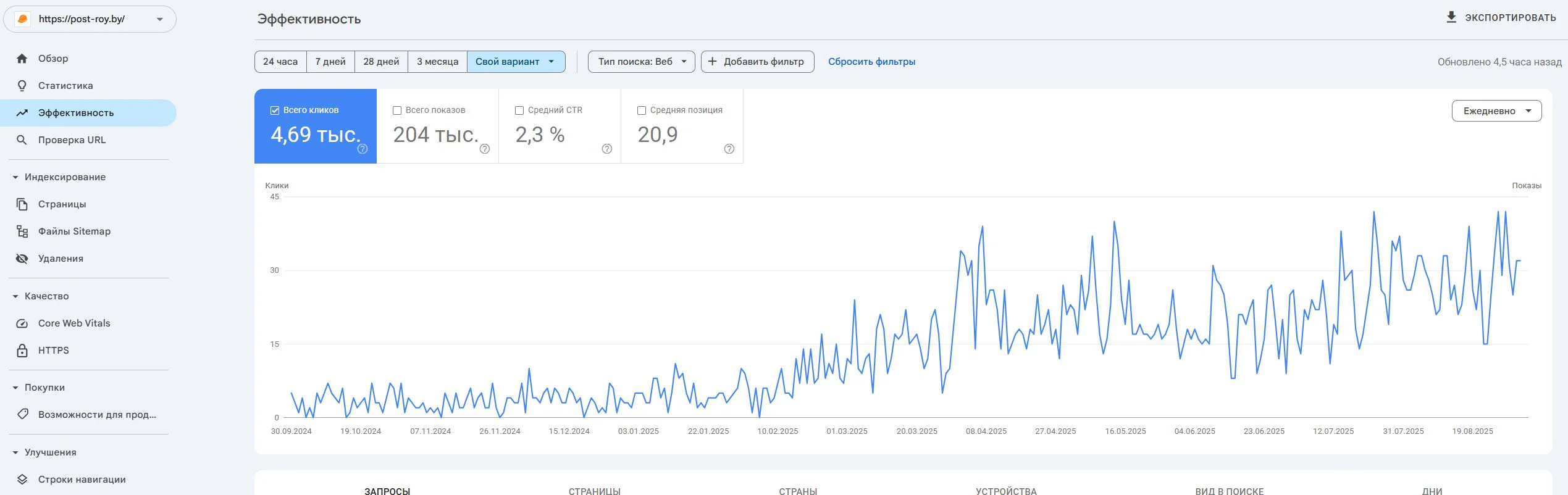
Post-Roy
A construction services website for industrial floors and screed. The project started from zero: no site, no domain, no digital reputation.
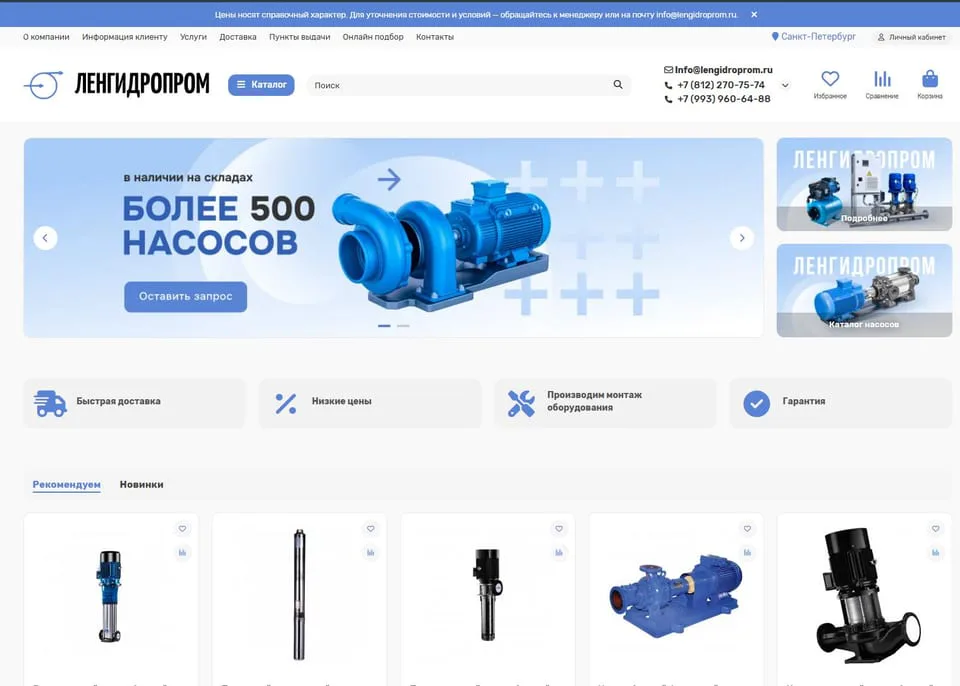
lengidroprom.ru
An OpenCart pumping equipment catalog: template redesign, bot filtering, silo architecture, trust factors and standardization of 3000+ product cards.
Personal
The expert who runs the work
No hiding behind a sales team: priorities, reviews, and straight answers—from strategy through reporting.

SEO Strategist
Pavel Barushka
Head of SEO @ Texode · Minsk / hybrid
SEO strategist with an engineering mindset. I lead projects from zero launch to scaling high-load platforms: JS/SPA, subdomains, multilingual and multiregional websites. Technical audits, indexation strategy, semantics and structured data are in my scope.
Frequently Asked Questions
Ready to clean up your crawl?
Order an audit — I’ll analyze your logs and show how much budget is being wasted.
Free initial consultation