Schema.org / JSON-LD —
a connected graph per template, without type conflicts
I design a single JSON‑LD @graph: Organization → WebSite → WebPage → content types (Article, Product, FAQ, etc.). Fields match visible HTML, Rich Results Test runs, and GSC enhancement reports so rich results don’t break after releases.
Why is markup present but rich results missing or error‑ridden?
1
Scattered JSON‑LD blocks
Every plugin or developer adds their own chunk. The result: @type conflicts, duplicate entities, lost connectivity.
2
Mismatch with visible content
The markup promises one thing (price, rating, date) while the visible page shows another. Google rejects the snippet or issues a manual action.
3
Missed rich results
Competitors display FAQ accordions, stars, breadcrumbs — yours stays a plain snippet. Markup doesn’t guarantee a rich result, but without it you won’t get one.
4
No post‑release checks
Theme or plugin updates break the markup. Nobody runs the Rich Results Test until CTR drops.
What’s included in Schema.org & structured data
I design a single JSON‑LD @graph: Organization → WebSite → WebPage → content types (Article, Product, FAQ, etc.). Fields match visible HTML, Rich Results Test runs, and GSC enhancement reports so rich results don’t break after releases.
Current markup audit
Scan JSON‑LD and microdata: duplicates, empty fields, type conflicts, content mismatches. I flag what breaks the Rich Results Test and GSC reports.
- URL samples by template and priority types
- Critical vs non‑critical issue summary
- Issues tied to visible on‑page content
@graph design
One connected graph: Organization → WebSite → WebPage → content type. Shared @ids, no duplicate entities or dangling references.
- Entity map and required fields per type
- Rules for listing vs detail pages
- Alignment with brand and legal copy on the site
JSON‑LD per page type
Article, Product, FAQ, LocalBusiness, HowTo, Service — field sets per CMS template. Priority on types that actually earn rich results in your niche.
- Field mapping from CMS/API into Schema
- Google eligibility constraints per type
- Skip “checkbox” markup with no visible payoff
CMS / code integration
Generation from code or a data layer — no manual paste across hundreds of URLs. For multi‑region setups, align with hreflang and organization entities.
- Dev brief and acceptance criteria
- Caching and rebuild on content updates
- Feature flags for phased rollout
Validation & regressions
Rich Results Test, GSC enhancement monitoring. Checklists after theme, plugin, or bulk template changes.
- Canonical URL set for smoke tests
- Alerts when error rates spike in reports
- Handover docs for maintenance
CTR & SERP impact
Compare clicks and CTR before/after by URL clusters. Coordinate with title/description hypotheses — markup and snippet work as a pair.
- Slices by page type and market
- Short stakeholder summaries
- Prioritized backlog from CTR signals
Engineered structured data: @graph and typing
I don’t drop in code from generators. I architect a single entity graph: Organization → WebSite → WebPage → content type. Each CMS template gets its own set of fields with mandatory validation. CTR before‑and‑after monitoring and protection against breakage during updates.
One @graph — All entities linked via @id and @graph. Googlebot sees context instead of scattered pieces, reducing conflict risks.
Page‑template typing — Article/BlogPosting, Product (price, offers, availability), FAQPage, HowTo, LocalBusiness, Service. Markup covers only what can produce a visible rich result.
Validation and content alignment — Every page passes the Rich Results Test. Markup must strictly match visible text — otherwise manual action risk.
Effect measurement — Comparing GSC clicks and CTR before/after. Linking to Title/Description hypotheses — markup and snippet work together.
How structured data work unfolds
From inventorying current markup → target @graph per page type → stable quality in automated tests.
Step 1
Audit
Scan existing JSON‑LD and microdata: duplicates, empty fields, @type conflicts, mismatches with visible HTML. Pinpoint what actually fails the Rich Results Test. Outcome: A report with critical and non‑critical markup issues.
Step 2
Specification development
Field specification per CMS template, unified @ids, generation from code or data layer. For multi‑regional setups — align with hreflang and organization cards. Outcome: A technical brief for JSON‑LD implementation across all page types.
Step 3
Validation & monitoring
Rich Results Test pass, GSC output control, regression tests during theme updates. Optional: extra rules for Yandex on top of base Schema. Outcome: Stable, validated markup with measurable CTR uplift.
Sample results
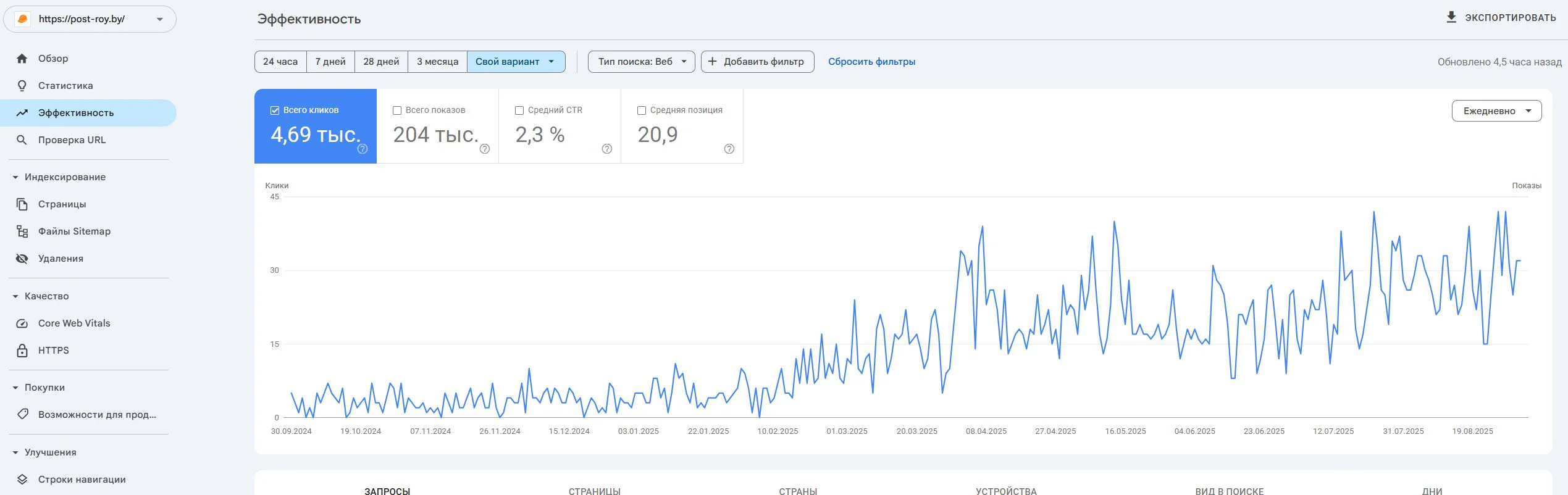
Post-Roy
A construction services website for industrial floors and screed. The project started from zero: no site, no domain, no digital reputation.
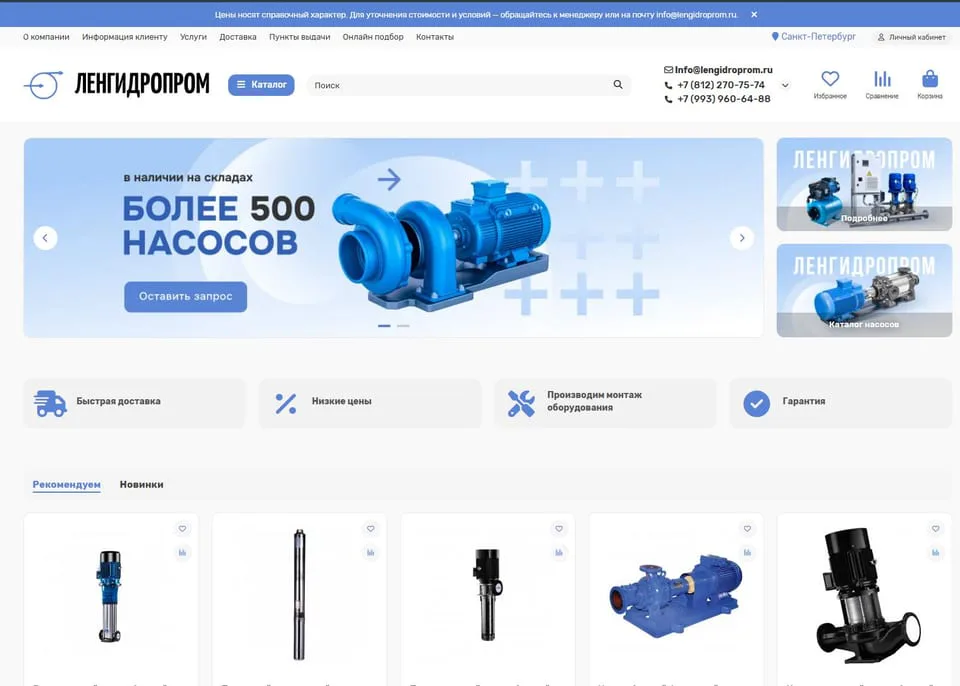
lengidroprom.ru
An OpenCart pumping equipment catalog: template redesign, bot filtering, silo architecture, trust factors and standardization of 3000+ product cards.
Personal
The expert who runs the work
No hiding behind a sales team: priorities, reviews, and straight answers—from strategy through reporting.

SEO Strategist
Pavel Barushka
Head of SEO @ Texode · Minsk / hybrid
SEO strategist with an engineering mindset. I lead projects from zero launch to scaling high-load platforms: JS/SPA, subdomains, multilingual and multiregional websites. Technical audits, indexation strategy, semantics and structured data are in my scope.
Frequently Asked Questions
Ready to earn rich snippets and out‑shine competitors in SERPs?
Book a markup review — I’ll reveal what you’re missing and build an implementation plan.
Free initial consultation included