Site speed —
hands‑on code and config work until Core Web Vitals hit targets
Not a recommendation deck — implementation across code, server, CMS, and CDN. Media in WebP/AVIF, caching and HTTP/2, edge rules, fonts, and less render‑blocking work. I verify with field data (CrUX, the CWV report in GSC), not Lighthouse alone.
Why doesn’t real‑world speed move much after an audit?
1
Recommendations gathering dust
You have a fix list, but the team lacks bandwidth or know‑how. Metrics stay red.
2
Fear of breaking functionality
DIY optimisation leads to visual breakage, broken lazy loading, or JavaScript conflicts.
3
Lab‑green, field‑red
PageSpeed shows gains, but real users (CrUX) don’t see the difference.
4
No holistic approach
Somebody squashed images, but server caching, CDN, and fonts were left untouched. The impact is weak.
What’s included in speed implementation
Not a recommendation deck — implementation across code, server, CMS, and CDN. Media in WebP/AVIF, caching and HTTP/2, edge rules, fonts, and less render‑blocking work. I verify with field data (CrUX, the CWV report in GSC), not Lighthouse alone.
WebP + AVIF
Batch conversion, correct dimensions and weight, picture element or server‑driven format negotiation for older clients.
- Policy for hero, catalog, and UGC
- width/height and LCP image priority
- Visual QA after conversion
Nginx & caching
gzip/brotli, Cache-Control, HTTP/2 or HTTP/3 where available. For WordPress — WP Rocket / LiteSpeed / Redis tuned to your host.
- Split cache policy for HTML vs static
- Object cache when it pays off
- TTL aligned with release cadence
CDN
Cloudflare, BunnyCDN, and peers: static from the edge, cache rules, compression, optional edge minification.
- Bypass rules for personalization and cart
- Cache hit checks by asset type
- Origin offload
Lazy load & fetchpriority
Defer media below the fold, prioritise the LCP asset, careful handling for carousels and video.
- Avoid breaking deferred hydration
- Thresholds for iframes and embeds
- Regression checks on key templates
Fonts
Self‑hosted, font-display, preload critical weights, fewer CLS spikes from metric swaps.
- Subset glyphs where it makes sense
- Align with the design system
- Check FOUT/FOIT trade‑offs
Render‑blocking CSS/JS
Critical CSS or chunking, defer/async, trim non‑critical work on first paint — fewer blocks before LCP, stabler INP.
- Third‑party script inventory
- Staged loading for non‑critical JS
- Safe rollback behind a flag
CrUX & GSC
Compare field data before/after via the CWV report and URL groups. Lab Lighthouse is for regressions, not the only KPI.
- Slices by template and country
- Short readout for the team
- Iteration plan if the CrUX window is still “red”
Engineering‑level implementation: from configs to CDN
I carry out all the technical fixes myself. From bulk WebP conversion and Nginx tuning to CDN setup and font optimisation. I document every change and verify with CrUX — no illusions based on lab screenshots.
Images first — Bulk convert to WebP/AVIF, correct width/height, fetchpriority for hero, lazy loading below the fold. −30–50% page weight.
Server & cache to the max — Nginx: gzip/brotli, Cache-Control, HTTP/2. For CMS — object‑cache configuration. Cuts TTFB and server load.
CDN accelerates delivery — Cloudflare, BunnyCDN: serve static assets from the nearest edge, set proper cache rules. Lower latency, offload origin.
Fonts & CSS without blocking — Self‑hosted fonts, font‑display: swap, preload critical weights. Reduce render‑blocking CSS — fewer obstacles before LCP, stabler CLS.
How implementation works
A «diagnose → fix → verify» cycle, relying on real‑user data instead of Lighthouse snapshots.
Step 1
Audit current state
Pinpoint exactly what hurts LCP, INP, and CLS on key templates. Define the implementation order for max impact versus effort. Outcome: Priority map with concrete technical tasks.
Step 2
Implementation
Edit code, server configs, CMS, and CDN in the provided environment. Document every change — no «magic». Outcome: All planned optimisations deployed to production or staging.
Step 3
Verification
Compare CrUX data and GSC CWV reports before/after by URL group. Lab Lighthouse test as a regression check. Iterate if needed. Outcome: Confirmed Core Web Vitals improvement in field data.
Sample results
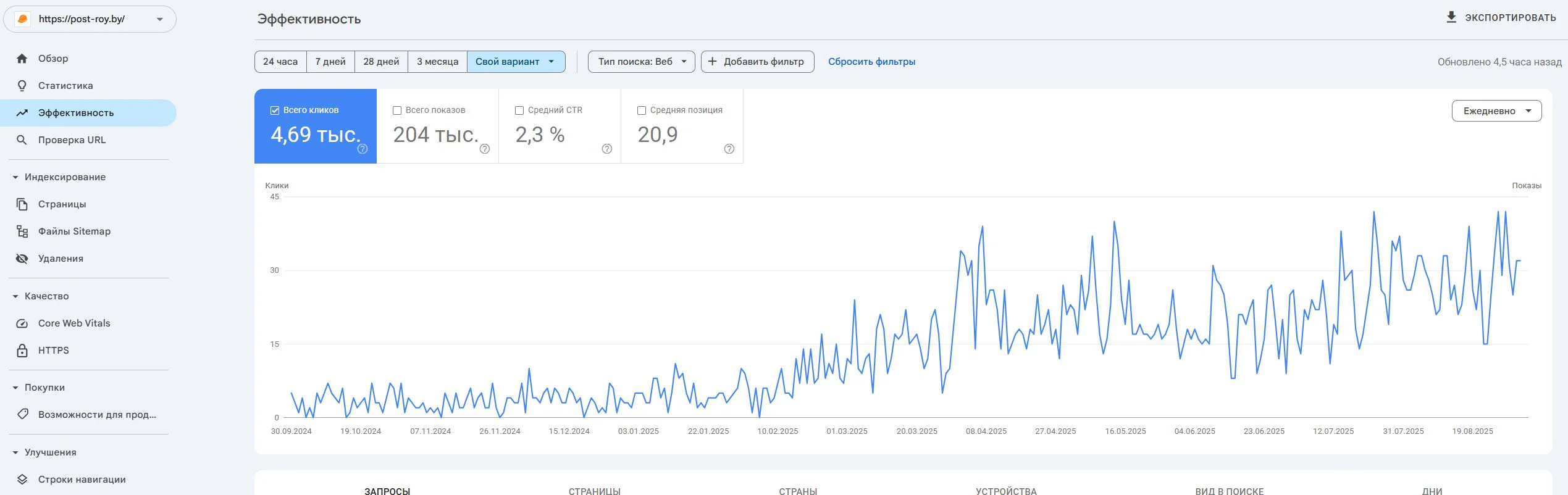
Post-Roy
A construction services website for industrial floors and screed. The project started from zero: no site, no domain, no digital reputation.
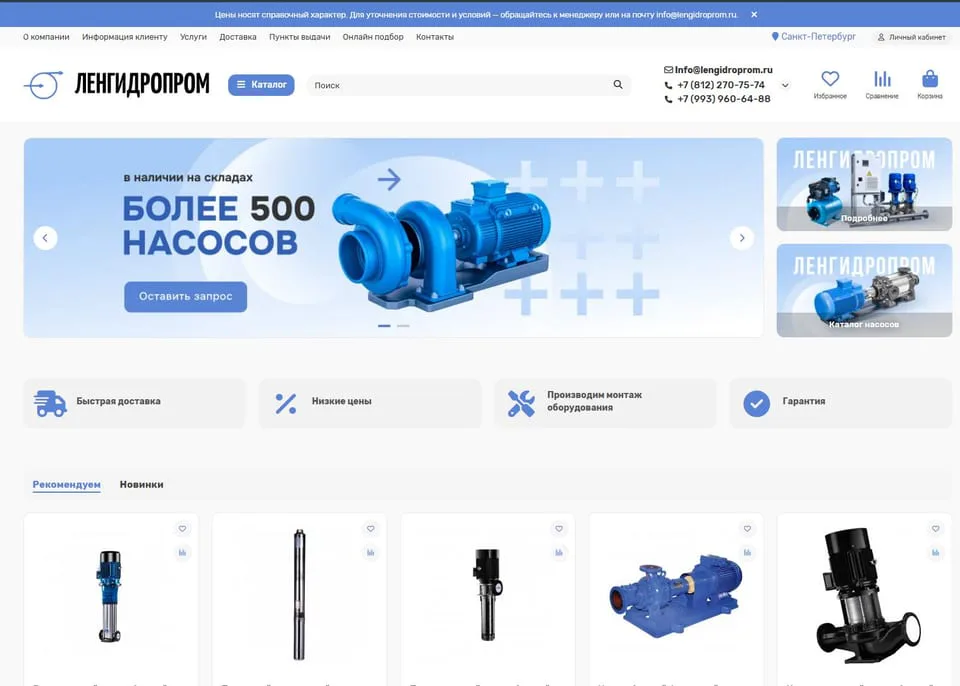
lengidroprom.ru
An OpenCart pumping equipment catalog: template redesign, bot filtering, silo architecture, trust factors and standardization of 3000+ product cards.
Personal
The expert who runs the work
No hiding behind a sales team: priorities, reviews, and straight answers—from strategy through reporting.

SEO Strategist
Pavel Barushka
Head of SEO @ Texode · Minsk / hybrid
SEO strategist with an engineering mindset. I lead projects from zero launch to scaling high-load platforms: JS/SPA, subdomains, multilingual and multiregional websites. Technical audits, indexation strategy, semantics and structured data are in my scope.
Frequently Asked Questions
Ready to see green metrics in production — not just in theory?
Order implementation — get a fast site with results confirmed by real‑user data.
Free initial consultation included